
BMW Digital Key is a smart feature that allows you to use your smartphone as a car key. It lets you lock, unlock, and start your BMW without carrying a traditional key. The system uses secure wireless technology to connect your phone with your vehicle.
Imagine leaving your car key at home but still being able to drive your BMW with your phone. This convenience makes daily driving easier and gives owners a more modern experience. With BMW Digital Key, your smartphone becomes an important part of your vehicle.
In this guide, you will learn how to set up BMW Digital Key, check device compatibility, and use its main features. We will also cover important tips to make the setup process simple and smooth for modern BMW owners.
BMW Digital Key Compatibility
BMW Digital Key works with many modern BMW models that support smartphone-based access. The feature depends on the vehicle’s technology package and production year. Owners should check their BMW model details before starting the setup process.
The system supports selected smartphones with compatible operating systems and security features. Many newer iPhone and Android devices can work with BMW Digital Key, but availability may vary by device and region. A compatible phone is required for smooth performance.
Before using the feature, make sure your BMW software and mobile app are updated. Checking compatibility first helps avoid connection problems and makes the activation process easier. This allows owners to enjoy a simple and convenient keyless driving experience.
How BMW Digital Key Works
BMW Digital Key allows your smartphone to communicate with your vehicle through secure wireless technology. Your phone acts like a digital version of a traditional car key. It sends an authorized signal that lets you lock, unlock, and start your BMW.
The system uses technologies like NFC and Ultra-Wideband, depending on the vehicle and device support. When your phone is recognized, the car verifies the digital access before allowing entry. This creates a simple and secure way to use your vehicle.
After activation, you can manage the key through supported apps and smartphone features. Some versions also allow key sharing with other users. This gives BMW owners a flexible and connected driving experience.
How the Smartphone Key Works
The smartphone key uses wireless technology to connect your phone with your BMW. It allows your device to communicate securely with the vehicle. You can lock, unlock, and start your car without using a physical key.
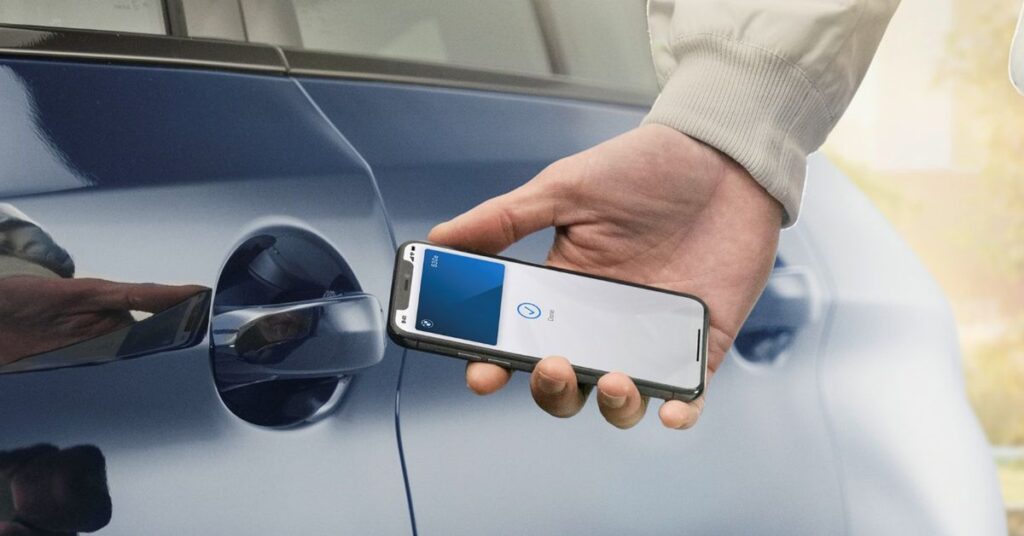
The system uses features such as Near Field Communication (NFC) and Ultra-Wideband technology, depending on the available version. Your phone sends a secure signal to the vehicle when you are nearby. This creates a quick and convenient way to access your BMW.
Once the phone is connected, you can keep the digital key in your wallet app or BMW app. The vehicle recognizes the authorized device and provides access when needed. This makes everyday driving easier and more flexible.
Setup Steps for New Owners
Setting up the digital key is a simple process for new BMW owners. First, make sure your BMW account, vehicle software, and My BMW App are ready. Your smartphone should also meet the required compatibility settings.
Open the My BMW App and follow the instructions to connect your vehicle with your phone. The app will guide you through the activation process and verify your ownership. You may need to confirm the setup inside the car for final approval.
After activation, test the key by locking and unlocking your BMW. You can also check if the vehicle starts correctly using your smartphone. Completing these steps ensures that your digital key works properly for daily use.
Supported Phones and Devices
BMW Digital Key works with selected smartphones and devices that meet specific technical requirements. Compatibility depends on the phone model, operating system, and BMW vehicle version. Checking these details helps ensure a smooth setup experience.
Many recent iPhone models support the feature through Apple Wallet. Some Android devices with compatible security and wireless technology can also use the digital key system. Support may vary based on region and BMW model.
Keeping your smartphone updated improves performance and reliability. Owners should install the latest software updates for both their phone and the My BMW App. This helps maintain a stable connection between the device and the vehicle.
BMW Digital Key Card
The BMW Digital Key Card offers a simple way to unlock your car. You can use the card instead of a traditional key. Just hold it near the car’s door handle. The vehicle can then unlock quickly.
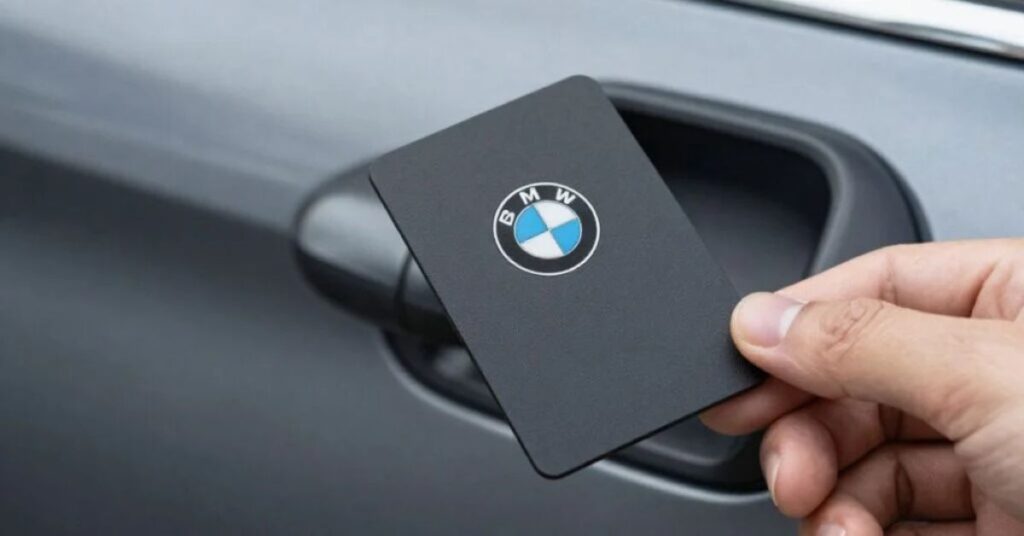
The card is small and easy to carry. It can also help when you do not want to use your main key. Some BMW models allow the Digital Key Card to start the car as well. This makes daily driving more convenient.
BMW designed the Digital Key Card with modern technology in mind. It adds another option for accessing your vehicle. It can be useful for drivers who prefer a simple and compact key solution.
Activation Through My BMW App
The My BMW App helps owners activate and manage their digital key. The process starts by connecting the app with the BMW vehicle and confirming the owner’s account details. A stable internet connection is recommended during setup.
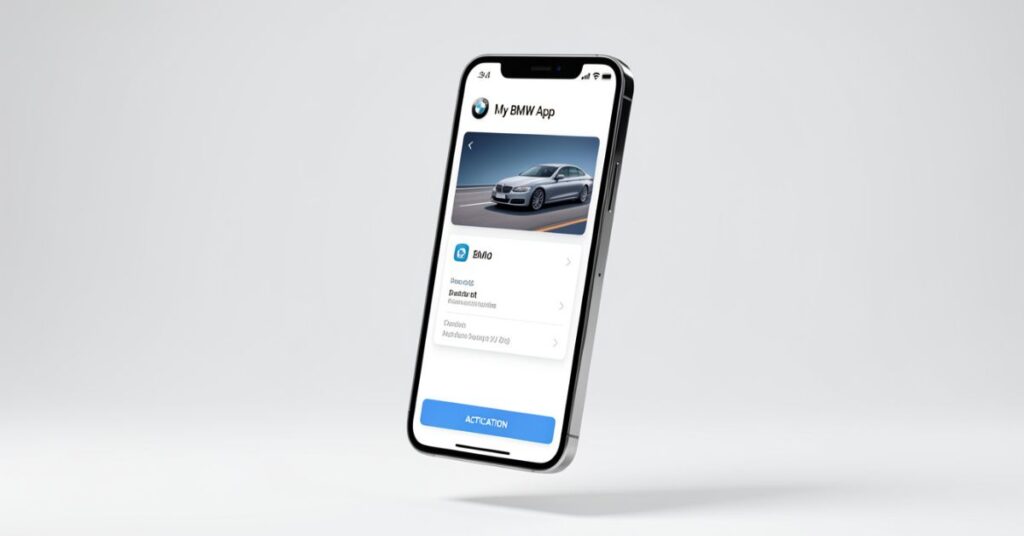
After opening the app, follow the on-screen instructions to begin the activation process. The app will guide you through pairing your smartphone with the vehicle. Some models may require additional confirmation inside the car.
Once the activation is complete, your smartphone can work as a digital key. You can test the connection by using your phone to unlock the vehicle. The app also allows you to manage key settings whenever needed.
Main Features and Benefits
BMW Digital Key offers a convenient way to access and use your vehicle with a smartphone. It allows you to lock, unlock, and start your BMW without carrying a traditional key. This makes everyday driving simpler and more comfortable.
The feature also supports key sharing with approved users on compatible devices. Family members or trusted people can receive digital access without needing a physical key. This is useful when multiple drivers use the same vehicle.
Another benefit is the added convenience and modern experience it provides. Your smartphone is something you usually carry everywhere, so having it as a car key reduces the need for extra items. The system also uses secure technology to help protect your vehicle.
Understanding Digital Key Plus
Digital Key Plus is an advanced version of BMW’s smartphone key technology. It uses Ultra-Wideband (UWB) technology to provide a more seamless connection between your phone and your vehicle. It allows your BMW to recognize your device as you approach.
Unlike basic digital keys, Digital Key Plus can work without taking your phone out of your pocket. The vehicle can automatically detect the authorized smartphone and unlock the doors when you are nearby. This creates a more natural and convenient experience.
Digital Key Plus also improves security by using precise location detection and encrypted communication. It is available on selected newer BMW models and compatible devices. This technology brings a smarter and more comfortable way to access your vehicle.
Security and Privacy Features
BMW Digital Key is designed with advanced security features to protect your vehicle access. It uses encrypted communication between your smartphone and BMW. This helps prevent unauthorized users from gaining control of your car.
The system uses secure authentication methods to confirm that the connected device belongs to an approved user. Your digital key information is protected through your smartphone’s security settings, such as Face ID, fingerprint, or passcode protection.
BMW also focuses on privacy by limiting access to authorized devices only. Owners can manage, remove, or share digital keys when needed. These features help provide a safe and reliable keyless driving experience.
Digital Key vs Traditional Key
BMW Digital Key and traditional keys both provide vehicle access, but they offer different experiences. A traditional key requires a physical device that you carry with you. A digital key uses your smartphone, making access more convenient and reducing the need for an extra key.
The digital option adds modern features like key sharing, app control, and smartphone-based access. Traditional keys are simple and familiar, but they do not offer the same level of connectivity. The better choice depends on your driving habits and technology preferences.
| Feature | BMW Digital Key | Traditional Key |
| Access Method | Uses a smartphone or compatible device | Uses a physical key fob |
| Lock and Unlock | Can lock and unlock through phone technology | Requires pressing buttons or using keyless entry features |
| Starting the Vehicle | Allows vehicle start with an authorized smartphone | Requires a physical key or key fob |
| Key Sharing | Digital access can be shared with approved users | Requires giving another person a spare physical key |
| Convenience | Smartphone is always available for many users | Requires carrying an additional device |
| Security | Uses encryption and smartphone security features | Uses physical security systems inside the key fob |
| Management | Settings can be managed through compatible apps | Limited control over key functions |
| Battery Dependence | Depends on smartphone battery and compatibility | Depends on key fob battery |
| Technology Level | Uses modern wireless and digital technology | Uses traditional vehicle access technology |
| User Experience | Offers a connected and smart driving experience | Provides a simple and familiar experience |
| Best For | Drivers who prefer smart features and phone-based access | Drivers who prefer a standard physical key |
Sharing Access With Others
BMW Digital Key allows owners to share vehicle access with trusted people on compatible devices. This feature removes the need to hand over a physical key. It can be useful for family members, friends, or other approved drivers.
The owner can send a digital key invitation through supported services. The receiver can accept the access and set up the key on their own device. This makes sharing a BMW faster and more convenient.
Owners can also manage shared access when needed. They can check who has permission and remove access if required. This gives drivers more control over who can use their vehicle.
Common Setup Problems
Some owners may face issues while setting up BMW Digital Key. Common problems include phone compatibility, outdated software, or connection errors between the smartphone and the vehicle. Checking these details can help solve many setup difficulties.
A weak internet connection or an incomplete app update can also affect the activation process. Make sure the My BMW App, smartphone software, and vehicle system are updated before trying again. Restarting the phone or app may also fix temporary issues.
If the digital key still does not work, owners can remove the connection and repeat the setup process. Checking BMW support information or contacting a dealer can help with more complex problems. A proper setup ensures a smooth and reliable experience.
Daily Use and Practical Tips
BMW Digital Key makes daily driving more convenient by reducing the need to carry a traditional key. Keep your smartphone charged and updated to ensure reliable access to your vehicle. A secure phone lock also helps protect your digital key.
It is a good idea to keep the My BMW App updated for better performance. Before using the feature regularly, test the lock, unlock, and start functions. This helps you understand how the system works in different situations.
For extra convenience, keep a backup access option available when traveling. You can also manage shared keys and review connected devices when needed. These simple tips help you enjoy a smoother digital key experience.
Conclusion
BMW Digital Key brings a smarter and more convenient way to access your vehicle. It allows your smartphone to work as a secure car key while offering features like easy access, key sharing, and modern connectivity. With the right setup and compatible devices, it can make everyday driving simpler.
As technology continues to improve, digital access features are becoming an important part of modern vehicles. BMW Digital Key gives owners a comfortable and flexible experience while keeping security a priority. It is a useful upgrade for drivers who enjoy smart and connected car technology.
FAQs
1. What is BMW Digital Key?
BMW Digital Key allows you to use your smartphone as a car key to lock, unlock, and start compatible BMW vehicles.
2. Which phones support BMW Digital Key?
BMW Digital Key works with selected iPhone and Android devices that meet BMW’s compatibility requirements.
3. How do I activate BMW Digital Key?
You can activate it through the My BMW App by following the setup instructions and connecting your phone with the vehicle.
4. Can I share BMW Digital Key with another person?
Yes, compatible versions allow you to share digital access with trusted users through supported devices.
5. Is BMW Digital Key safe to use?
Yes, it uses encrypted communication and device security features to help protect your vehicle access.
Related Posts
BMW M8 Buying Guide: Specs, Price & Performance
The BMW M8 is a high-performance luxury sports car. It…
BMW i7 Interior: Luxury Features, Tech, and Comfort
The BMW i7 interior is the cabin space of BMW’s…
BMW Alpina XD3: A Powerful Luxury SUV Guide
The BMW Alpina XD3 is a high-performance luxury SUV. It…